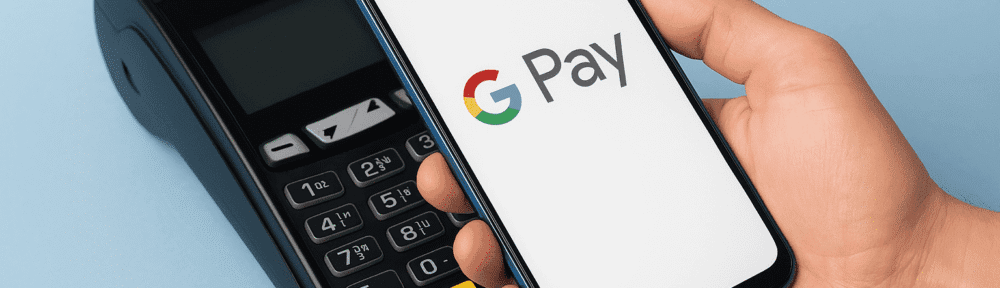
Google Pay, through Google Wallet, is officially live in the Philippines as of November 18, 2025. After years of waiting, Filipinos can finally enjoy tap-to-pay convenience using their Android phones. If you’ve been wanting to ditch your physical cards and go fully digital when paying in stores, this is the perfect time to upgrade.
Below is everything you need to know about Google Pay’s launch, supported banks, and how you can start using it today.
What Is Google Pay and How Does It Work?
Google Pay is a mobile payment method that allows you to tap your phone to pay at stores with contactless terminals. It works through Google Wallet, where you add your debit or credit card. Once added, you can pay in-store, online, or in apps without touching your physical card.
The important thing to remember: Google Pay does not store money like e-wallets. It uses your existing bank card. When you tap your phone, Google Pay sends a tokenized version of your card details, keeping your real card number hidden for better security.
In short: your phone becomes your card, but your bank stays your bank.
Google Pay Launch in the Philippines
Google Pay officially launched in the Philippines on November 18, 2025. For the first time, Filipinos can now use tap-to-pay transactions using Android devices with NFC.
Initial supported issuers include:
- China Banking Corporation
- EastWest Bank
- GoTyme Bank
- Maya Bank
- RCBC
- UnionBank
- Wise Philippines
- Zed Financial PH
This list will continue to expand as more banks roll out card tokenization and Google Pay compatibility.
Supported Cards in the Philippines
Supported cards vary by bank, but generally include:
- China Bank Visa and Mastercard
- EastWest Mastercard and Visa
- Maya Visa credit
- Select UnionBank, RCBC, GoTyme, Wise, and Zed Financial PH cards
Not all Philippine banks are supported yet. Some major banks will follow soon once they complete their tokenization and testing.
If your card does not work yet, it simply means your bank is not onboard at the moment.
Why Google Pay Matters for Filipinos
Google Pay brings several advantages:
1. Tap-to-Pay Convenience
No more pulling out your wallet or card. Just unlock your phone and tap.
2. Better Security
Google Pay uses tokenization, meaning your actual card number is never shared during transactions.
3. Smoother International Use
If you travel abroad, Google Pay is widely accepted in many countries, making foreign payments easier.
4. Faster Checkout
Tap-and-go payments reduce queue time and improve overall checkout experience.
5. More Competition in PH Digital Payments
With Google Pay now active, banks and merchants are expected to speed up their NFC adoption and offer more promos for digital payments.
How to Use Google Pay in the Philippines
If you want to start using Google Pay, here’s what you need:
1. An NFC-Enabled Android Phone
Your device must support NFC and run a compatible version of Android.
2. Google Wallet Installed
Update or download Google Wallet from the Play Store.
3. A Supported Bank Card
Only specific banks and card types currently work with Google Pay.
4. Add Your Card to Google Wallet
Open the app, tap “Add to Wallet”, select “Payment Card”, and verify with your bank.
5. Tap to Pay
When buying in-store, look for the contactless symbol. Unlock your phone and tap it on the terminal.
6. Keep Your Device Secure
Use a screen lock, PIN, fingerprint, or face unlock. If your phone gets lost, use Google’s Find My Device to lock or erase it.
Limitations and Things to Expect
While Google Pay is already live, expect a gradual adoption period:
- Not all banks are supported yet
- Some merchants still do not have NFC terminals
- Some cards (especially older debit cards) may not work due to missing tokenization
- Some Android phones do not have NFC hardware
- Promos may vary depending on the issuer
Despite these limitations, Google Pay’s launch is a major step forward for digital payments in the country.
Blogger’s Corner
Google Pay arriving in the Philippines is a big milestone. For years, Filipinos relied mainly on QR payments and plastic cards. Now, we finally have a global-standard tap-to-pay system that makes everyday transactions faster and more secure.
If your bank already supports Google Pay, I highly recommend trying it. Start with a small transaction at a major supermarket or convenience store to test how smooth it is.
This launch also signals a bigger shift: more banks adopting tokenization and more merchants upgrading terminals. The next few months will be interesting as the ecosystem grows.
Google Pay is here — and it’s time for Filipino consumers to tap into the future.