Last updated: December 26, 2025
In today’s digital world, government transactions don’t have to be stressful or time-consuming. Enter the eGovPH app—a government initiative aimed at making public services more accessible right from your smartphone. Whether you’re applying for IDs, checking your tax status, or accessing other government services, this app promises to bring convenience to your fingertips.
In this article, we’ll break down what the eGovPH app is, its features, and how you can make the most out of it.
What is the eGovPH App?
The eGovPH app is a mobile platform developed by the Philippine government to centralize access to various public services. Think of it as your one-stop app for government transactions. Instead of visiting multiple offices or websites, you can now handle several tasks online—saving time, effort, and even money.
It’s part of the government’s push towards digital transformation, making public services faster, more efficient, and more transparent.
Key Features of the eGovPH App
Here’s why you might want to download the app today:
- Unified Access to Services
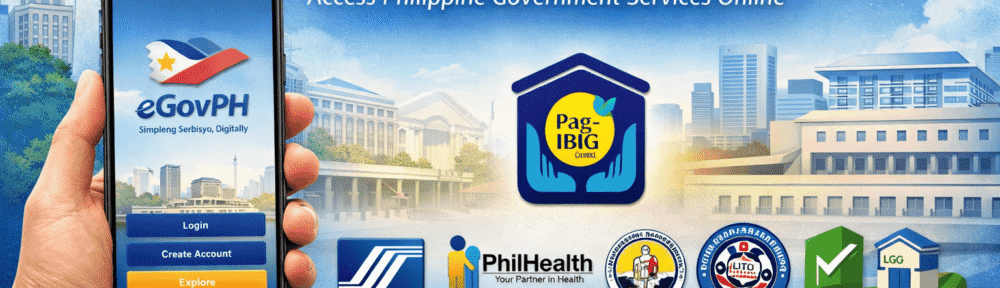
The app brings together multiple government services in one place. This includes agencies like:- SSS (Social Security System)
- PhilHealth
- Pag-IBIG Fund
- BIR (Bureau of Internal Revenue)
- LTO (Land Transportation Office)
- LGU services (local government permits, clearances, etc.)
- Easy Registration & Login
Creating an account is simple. You just need:- A valid email
- Your mobile number
- A government-issued ID for verification
- Online Transactions & Tracking
You can submit applications, pay fees, and even track the status of your requests directly from your phone. No more long lines! - Secure & Verified
The app uses government-standard encryption and verification processes, so your data stays safe while you access official services. - Notifications & Updates
Stay updated on your transactions and government announcements with push notifications.
How to Download and Use the eGovPH App
Getting started is easy:
- Download the App
- Available on Google Play Store for Android and App Store for iOS.
- Register an Account
- Open the app, enter your email, mobile number, and create a password.
- Verify your account through a code sent to your email or phone.
- Explore Services
- Browse the list of government agencies.
- Select the service you need and follow the on-screen instructions.
- Make Transactions
- Some services allow online payments through GCash, PayMaya, or credit/debit cards.
- Track Requests
- Check the progress of submitted requests and receive notifications when they’re processed.
Tips for Using the eGovPH App
- Keep your information updated to avoid errors when submitting requests.
- Enable notifications so you won’t miss updates on your applications.
- Check supported services for your area, especially for LGU transactions.
Blogger’s Corner
Honestly, the eGovPH app is a game-changer for anyone who deals with government transactions regularly. No more long queues, lost forms, or confusing requirements. For first-time users, it might feel overwhelming, but once you get the hang of it, it really saves time.
The only catch? Not all local government services are fully integrated yet. But as the government continues to improve the platform, expect more services—including Pag-IBIG transactions—to be accessible in the near future.
If you haven’t tried it yet, download the eGovPH app today and experience a more convenient way of dealing with government services.