Last updated: December 26, 2025
Accessing government services has never been easier, thanks to the eGovPH app. From checking your SSS contributions to handling Pag-IBIG transactions, this app brings multiple government services right to your smartphone.
If you’re new to the app, don’t worry! Here’s a comprehensive step-by-step guide to get you started.
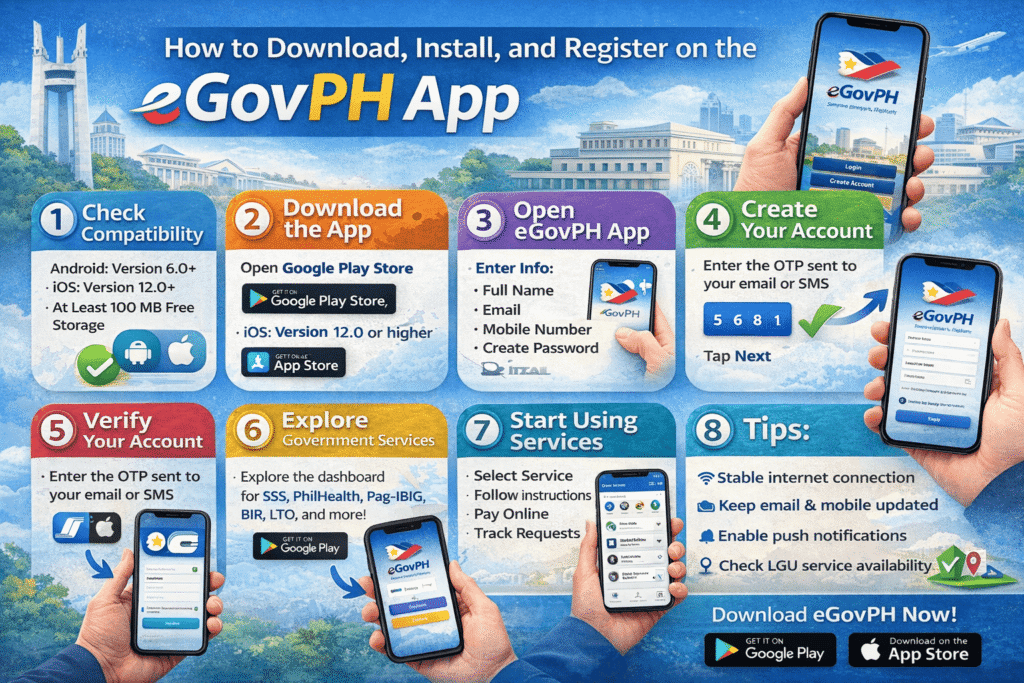
Step 1: Check Device Compatibility
Before anything else, make sure your device is ready:
- Android: Version 6.0 (Marshmallow) or higher
- iOS: Version 12.0 or higher
- Free Storage: At least 100 MB
Step 2: Download the eGovPH App
- For Android Users:
- Open Google Play Store
- Search “eGovPH”
- Look for the official app developed by the Philippine Government
- Tap Install
- For iOS Users:
- Open App Store
- Search “eGovPH”
- Tap Get and confirm your Apple ID if prompted
Step 3: Open the App
- Tap the eGovPH icon on your phone
- Wait for the welcome screen to load
Step 4: Create Your Account
- Tap “Create Account”
- Enter the required information:
- Full Name (as it appears on your IDs)
- Valid Email Address
- Mobile Number
- Password (8+ characters, mix letters & numbers)
- Agree to Terms and Conditions
- Tap Next
Step 5: Verify Your Account
- You’ll receive a verification code via email or SMS
- Enter the code in the app
- Your account is now active
Step 6: Complete Your Profile
- Add your government ID number (SSS, PhilHealth, Pag-IBIG, etc.)
- Upload a profile picture if prompted
- Fill out birth date, address, and other personal info
- Tap Save
Step 7: Explore Government Services
- The dashboard will show available agencies and services, including:
- SSS
- PhilHealth
- Pag-IBIG Fund
- BIR
- LTO
- LGU services
Step 8: Start Using Services
- Choose the agency/service you need
- Follow on-screen instructions, which may involve:
- Filling forms online
- Uploading documents
- Paying fees via GCash, PayMaya, or credit/debit cards
- Track your requests using the app’s notification system
Tips for a Smooth Experience
- Ensure a stable internet connection
- Keep your email and mobile number updated
- Enable push notifications for updates
- Check if services are available in your area, especially LGU transactions
Blogger’s Corner
Honestly, if you haven’t tried the eGovPH app yet, you’re missing out on a super convenient way to deal with government services. Long lines, lost forms, and multiple trips to different offices? Gone.
For first-time users, it might feel a bit overwhelming, but following this guide will have you up and running in no time. And the best part? You can now manage Pag-IBIG, SSS, PhilHealth, BIR, and more all in one place.
So, download the eGovPH app today and experience hassle-free government transactions!