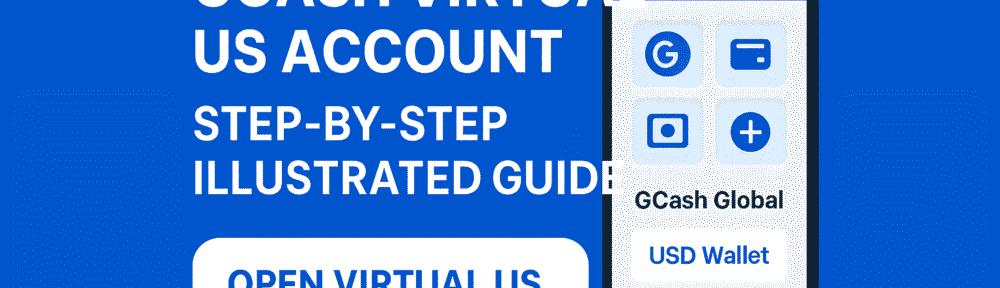
When GCash announced that it would finally allow users to receive, hold, and convert U.S. dollars, a lot of Filipinos immediately started asking: “Pwede na ba talaga mag-USD wallet sa GCash?”
The answer is yes — and this update is huge, especially for freelancers, OFWs, and anyone receiving money from the US.
In this article, let’s break down how the new GCash Virtual US Account works, who can use it, and how you can activate it inside the app.
What Is the GCash Virtual US Account?
The GCash Virtual US Account is a feature that gives fully verified GCash users their own US account details — including:
- U.S. account number
- Routing number
- Account name under your GCash profile
This allows you to receive USD transfers from U.S. employers, clients, family members, or even US banks — directly into your GCash app.
GCash partnered with Meridian Payments US to manage the dollar wallet under a “for benefit of” structure. This means your USD funds are legally held in the partner institution but accessible inside GCash.
Key Features of GCash USD Wallet
1. Receive USD Directly
You can now receive:
- ACH transfers from US banks
- Direct payments from clients
- Remittances in USD
No need for a US bank account, Wise account, or PayPal withdrawal.
2. Keep Your Money in USD
Before this update, any foreign currency sent to GCash would automatically convert to PHP.
Now, you can hold your money in USD inside GCash until you choose to convert it.
This is ideal if:
- You expect the peso to weaken
- You prefer to keep savings in a stable currency
- You want better control over conversion timing
3. Convert USD to PHP Anytime
GCash allows in-app conversion so you can check the rate first before converting.
4. No US Address Needed
Unlike other platforms, you don’t need a U.S. billing address or bank.
As long as you’re fully verified, you can open the virtual account.
Who Can Use the GCash USD Feature?
You must be:
- A fully verified GCash user (valid ID + selfie verification)
- A Philippine resident
- Using the latest version of the GCash app
This feature is especially helpful for:
- Freelancers working with US clients
- OFW families receiving money
- Remote workers paid in USD
- Online sellers or digital service providers
- Anyone diversifying savings into dollars
How to Activate the GCash Virtual US Account
Here’s the simple step-by-step guide:
Step 1: Update Your GCash App
Make sure you’re using the latest version available on Google Play or App Store.
Step 2: Go to “GCash Global” or “US Dollar Wallet”
GCash usually places this under the View All or Global section.
Step 3: Tap “Open Virtual US Account”
GCash will prompt you to confirm your identity and accept the terms.
Step 4: Get Your US Account Details
Once activated, GCash will show:
- Account Number
- Routing Number
- Account Name
You can now give these details to US senders.
Step 5: Wait for Incoming USD Transfers
Incoming dollars will appear in your USD Balance inside GCash.
Optional: Convert to PHP
If you want to cash out, you can convert USD → PHP instantly.
Are There Fees?
As of launch:
- Receiving USD is free
- Conversion rates vary depending on GCash’s forex spread
- Cash-out depends on your PHP balance (standard GCash fees apply)
No hidden charges have been announced for maintaining a USD balance.
Is It Safe?
GCash clarified that:
- The USD balance is held by Meridian Payments US
- It is not a traditional bank deposit
- It is not covered by typical deposit insurance
However, it follows U.S. regulatory requirements for payment institutions.
For everyday users receiving small to medium USD amounts, this setup is generally acceptable.
Why This Update Matters
This is one of GCash’s most important updates in years.
Here’s why:
- It eliminates forced PHP conversion
- It directly competes with PayPal and Wise
- It gives Filipinos a US-based financial channel
- It supports the growing remote work and freelancer economy
For anyone earning in dollars, this can significantly improve your income value since you control exactly when to convert.
Final Thoughts (Blogger’s Corner)
GCash accepting USD is a game-changer. For freelancers and online workers, this means less friction, fewer fees, and more control over your dollars. For OFW families, this means easier, faster remittances without depending on third-party apps.
Personally, I see this as one of GCash’s most practical features yet — especially now that the digital workforce is booming.
If you regularly receive USD, this feature can genuinely help you maximize your earnings and avoid unnecessary conversion losses.
Yes I am happy
ernanpepitopepito1234@gmail.comhappy